


Product design · Case study · 2025–2026
ExRad Portal

ExRad Portal is a digital platform developed for Expert Radiology. It connects users with board-certified radiologists to request expert second opinions, obtain medical illustrations and manage specialized radiology reports.
The platform needed to guide users through processes involving patient information, medical records, DICOM studies, professional credentials, payments and sensitive documentation.
- Role
- Product Designer
- Company
- Cibergente
- Period
- 2025–2026
- Team
- Product Manager, Product Designer, clients and developer
- Tools
- Figma, Claude Code and v0
[Context]
Context
Expert Radiology provides specialized radiology services for people who need an independent interpretation of medical imaging.
A central use case involves attorneys and legal teams working on personal injury cases. These users must collect patient information, submit medical studies, explain the context of an injury and request an evaluation from a qualified radiologist.
The platform also considers clinicians, imaging centers and patients, adapting the initial account configuration according to each profile.
The product had to transform a complex professional service into a guided digital experience without losing the precision required when handling medical and legal information.
[Challenge]
The Challenge
Requesting an expert radiology review involves several interconnected tasks:
- Registering and verifying an account.
- Completing a professional profile.
- Entering patient and case information.
- Uploading DICOM studies and supporting reports.
- Providing medical history and instructions.
- Selecting an appropriate radiologist or allowing ExRad to assign one.
- Reviewing the request before payment.
- Tracking the status of the case.
- Accessing and downloading the completed report.
Each step requires specific information, but presenting everything at once would create a long and difficult form.
The main design challenge was organizing this complexity into understandable stages while giving users enough context to make informed decisions.
[My Role]
My Role
I worked as a product designer on the Cibergente team, collaborating closely with a product manager throughout the entire definition and design process.
My responsibilities included:
- Translating business and operational requirements into user flows.
- Jointly structuring the portal’s information architecture.
- Designing the main navigation paths, screens, and interaction states in Figma.
- Jointly exploring product ideas through functional prototypes created with Claude Code and v0.
- Reviewing proposals with clients and incorporating their feedback.
- Documenting alternative paths, validations, and edge cases.
- Collaborating with the developer during implementation.
- Jointly review the developed user experience to identify inconsistencies between design and development.
- Design the transactional email system associated with the platform.
The work involved defining how each service should be requested, how information should be entered, and how users would navigate between the portal, payments, reports, and email notifications.
[Product Ecosystem]
Product Ecosystem
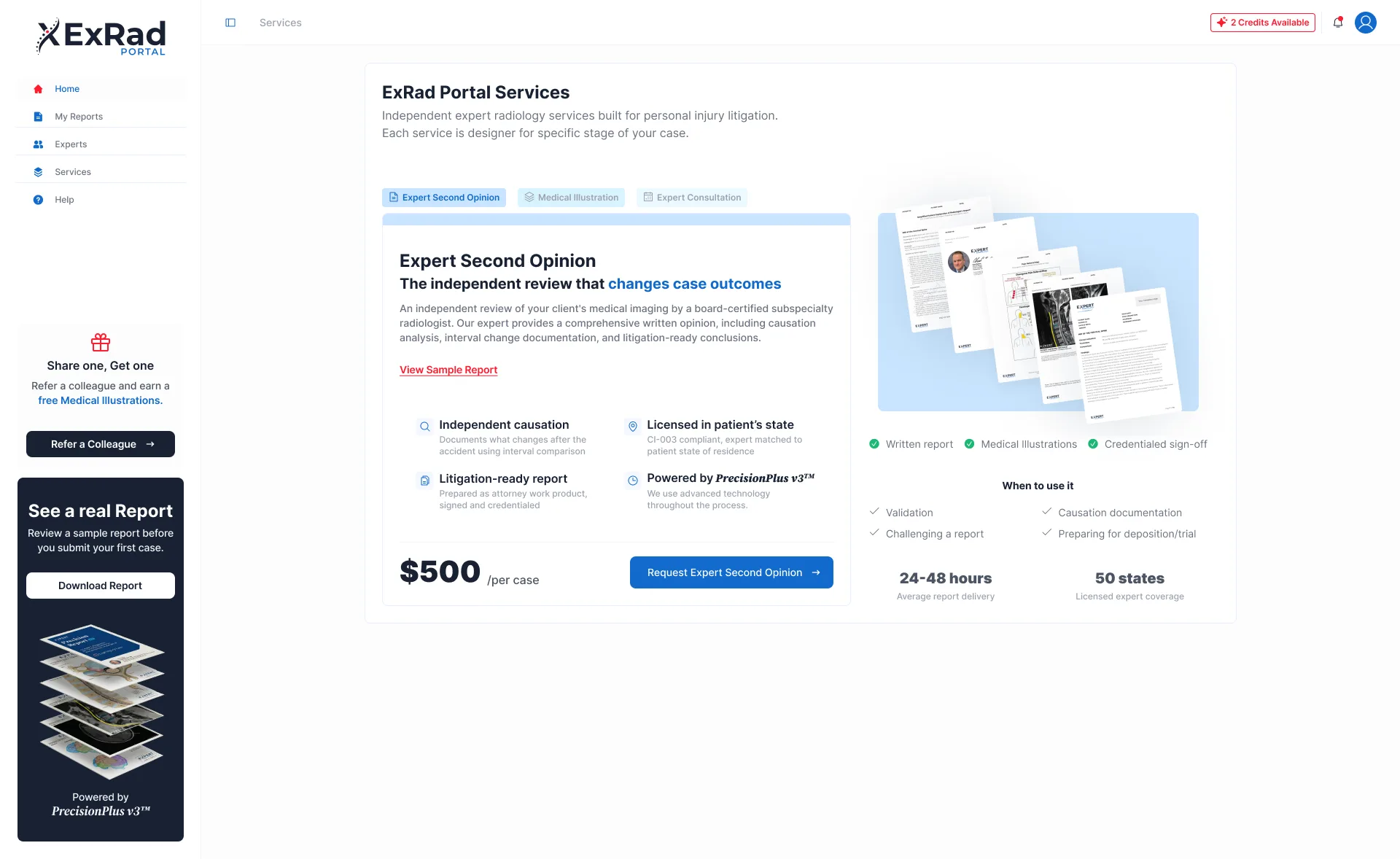
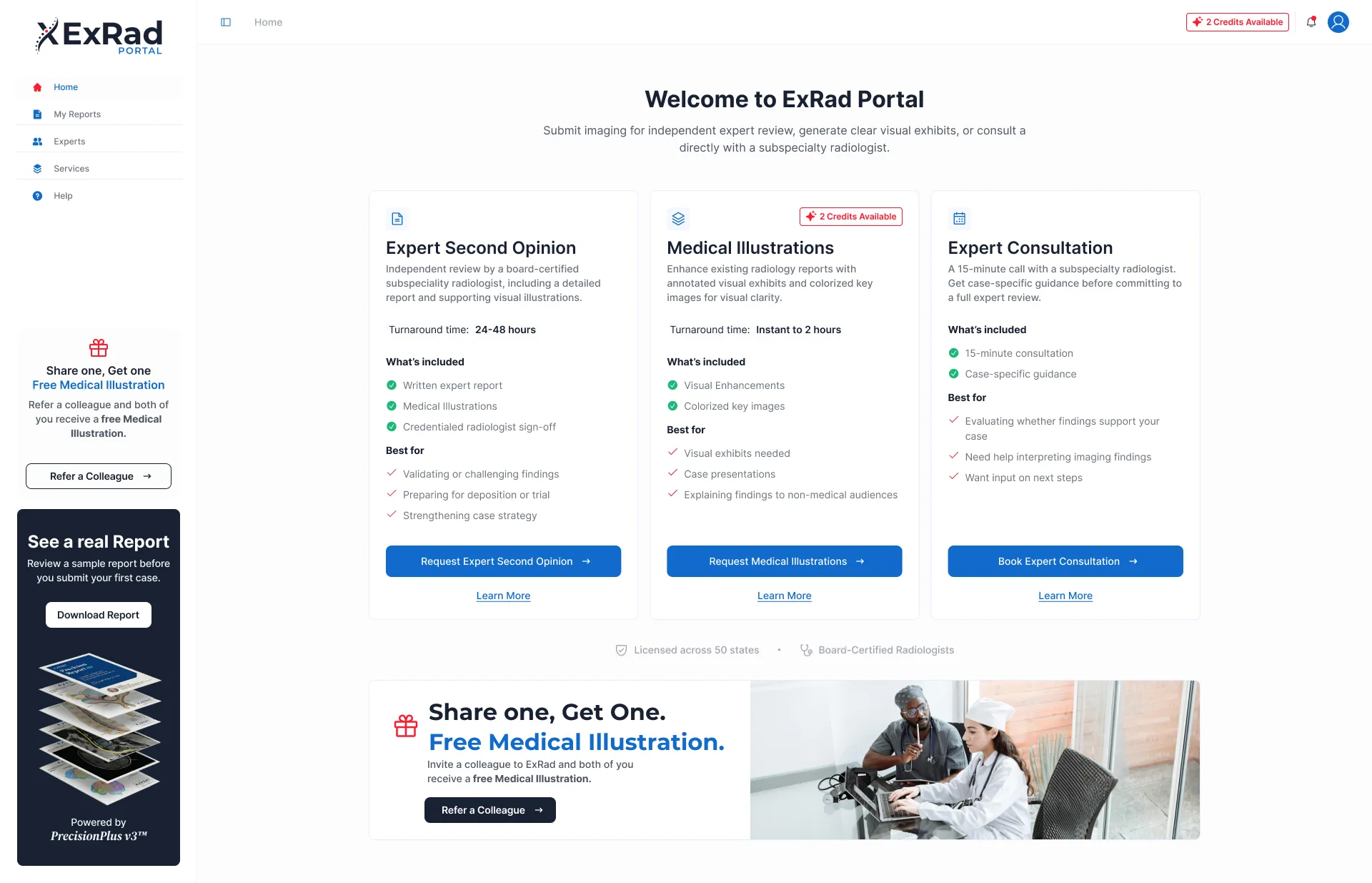
The portal is organized around three specialized services:
Expert Second Opinion
An independent review performed by a board-certified radiologist. The service includes a written report, expert validation and supporting medical illustrations.
Medical Illustrations
A service that transforms an existing radiology report into annotated and colorized visual exhibits. It helps communicate medical findings to attorneys, patients and other non-medical audiences.
Expert Consultation
A consultation with a specialized radiologist to discuss a case and evaluate possible next steps before requesting a complete report.
Each service requires a different level of information. The interface needed to explain those differences before asking users to begin a request.
[Account Access Experience Design]
Account Access Experience Design
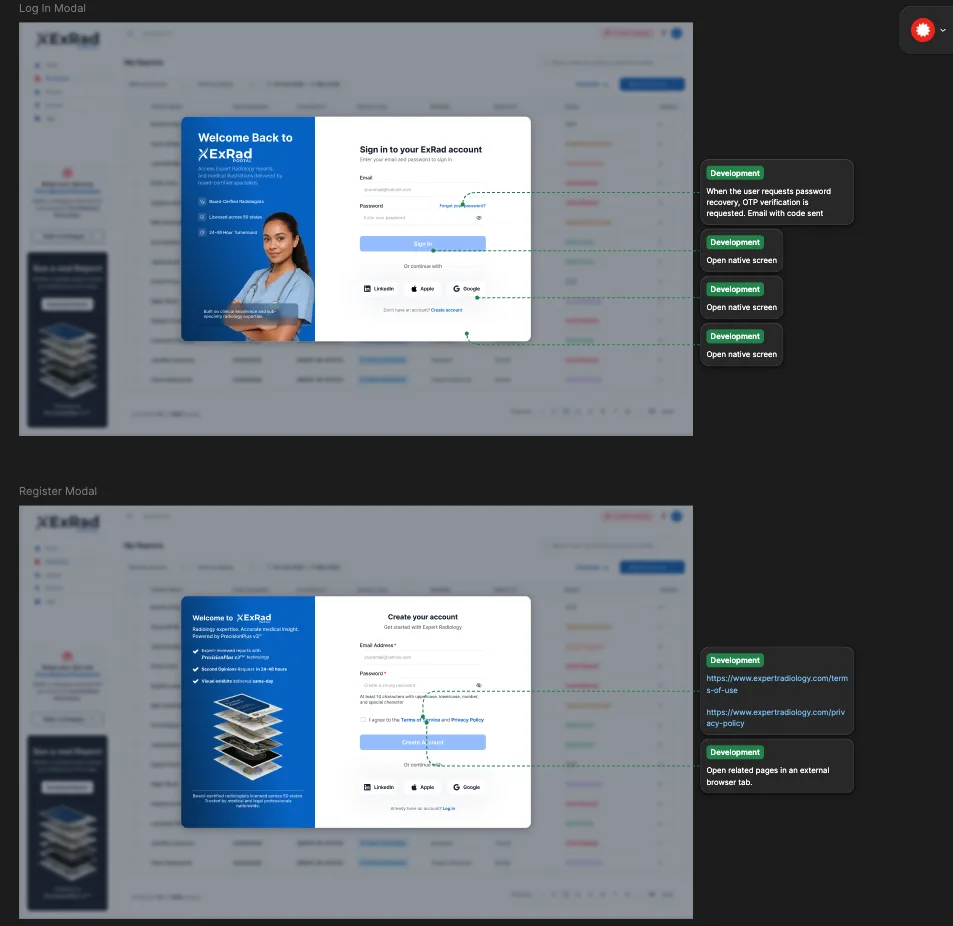
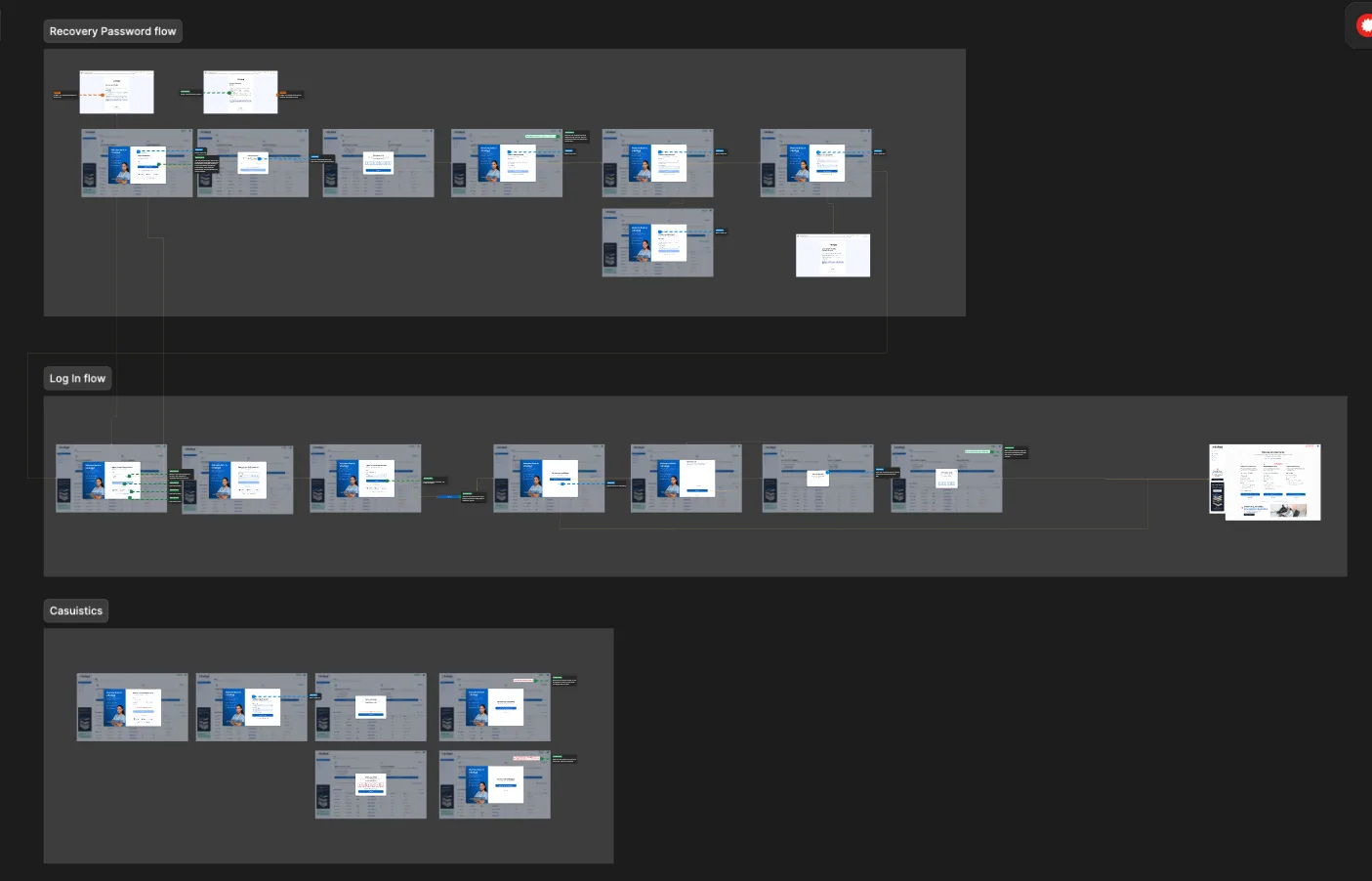
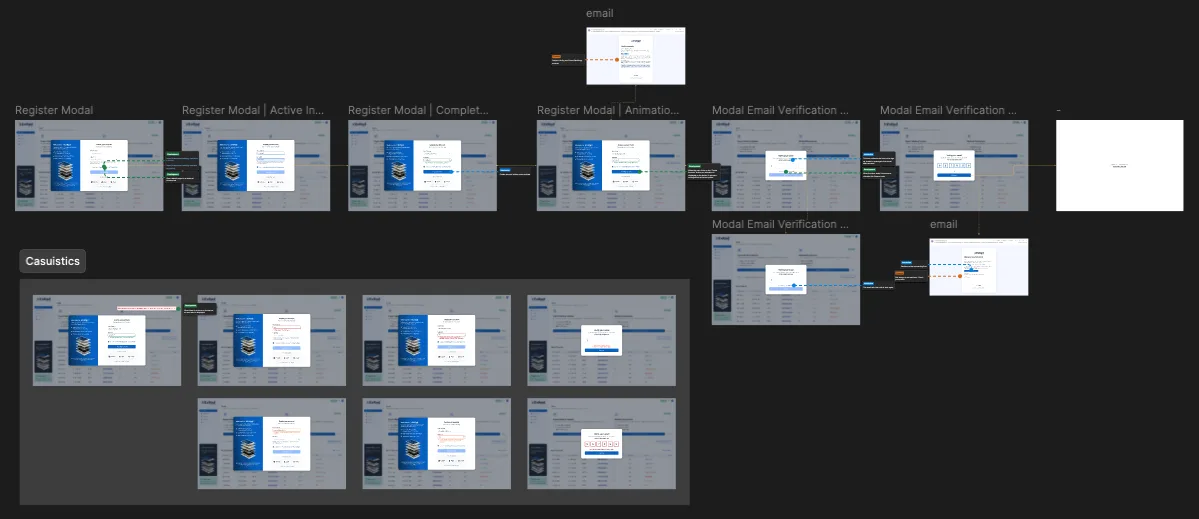
The access experience includes registration, email verification, login, and password recovery. It covers password requirements, acceptance of terms and conditions, social media authentication, verification codes, expired code statuses, resend options, and success or error messages.
After account creation, the onboarding process identifies whether the user is a lawyer, a healthcare professional, a diagnostic imaging center, or a patient. It also introduces the portal through an empty dashboard, a product tour, reminders to complete the profile, and alternative workflows for business management.
This progressive approach allows users to understand the platform’s value before completing all account details.
[Creating a Guided Process]
Creating a Guided Process
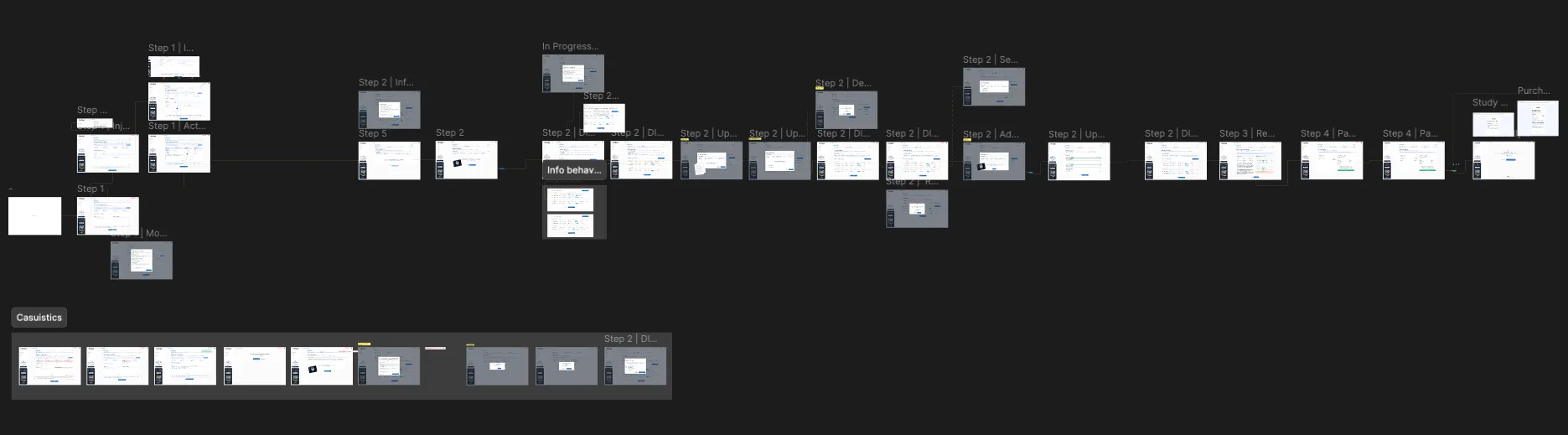
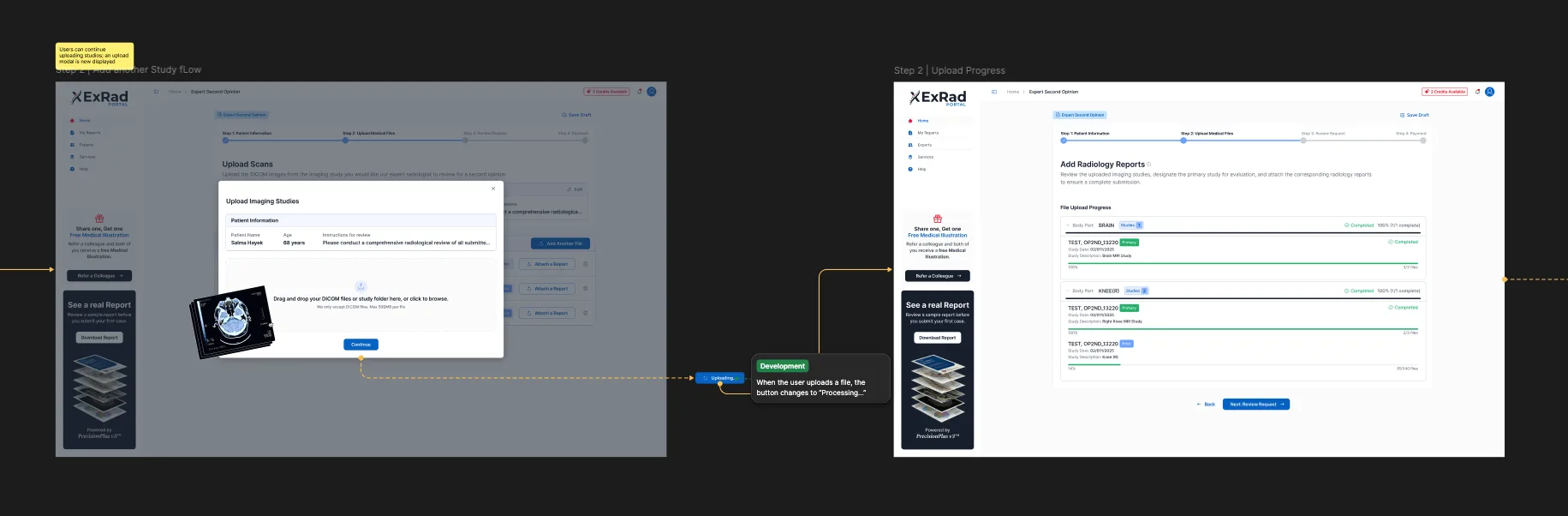
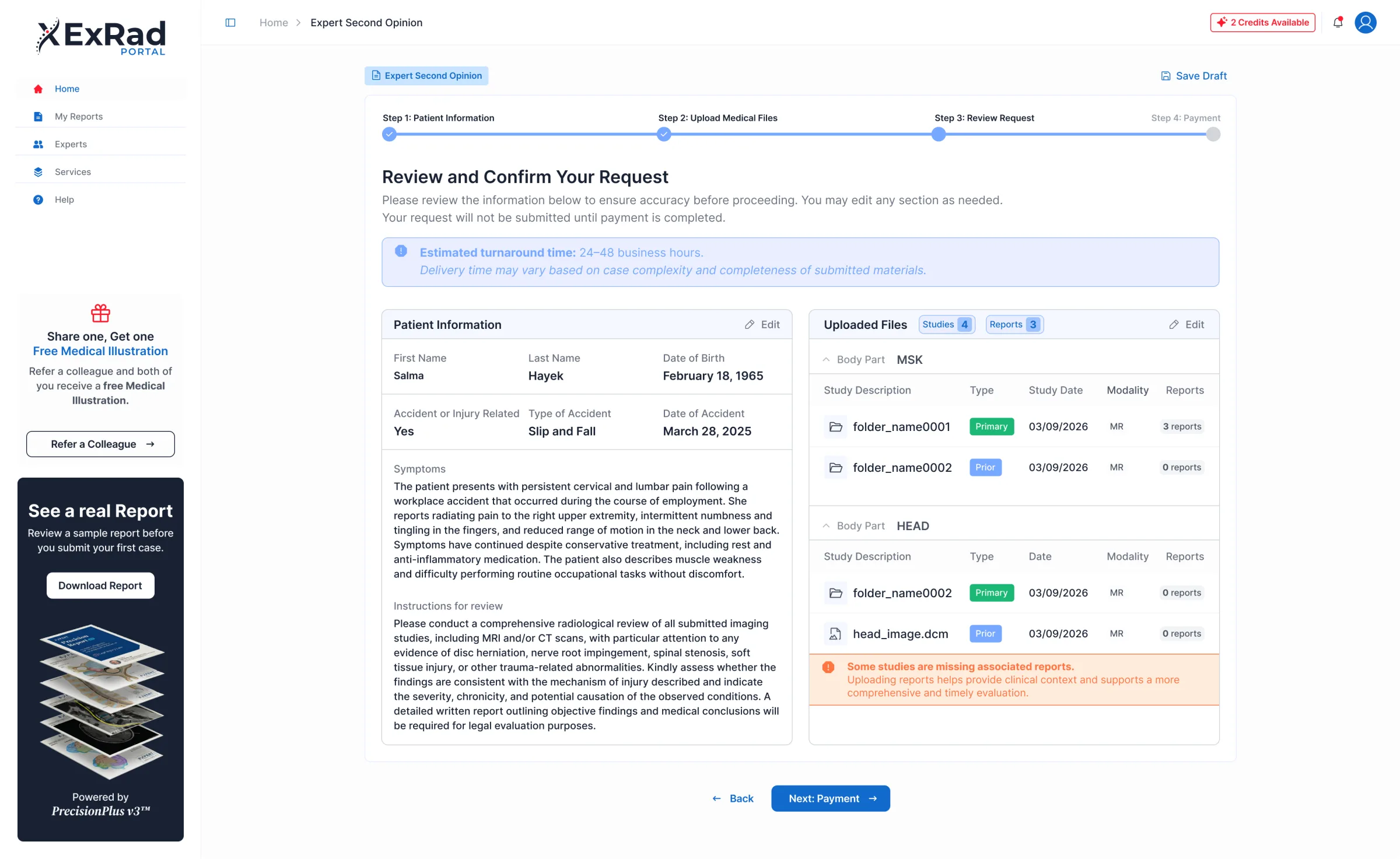
The “Second Opinion from an Expert” workflow became one of the most complex journeys in the product. It was divided into five stages:
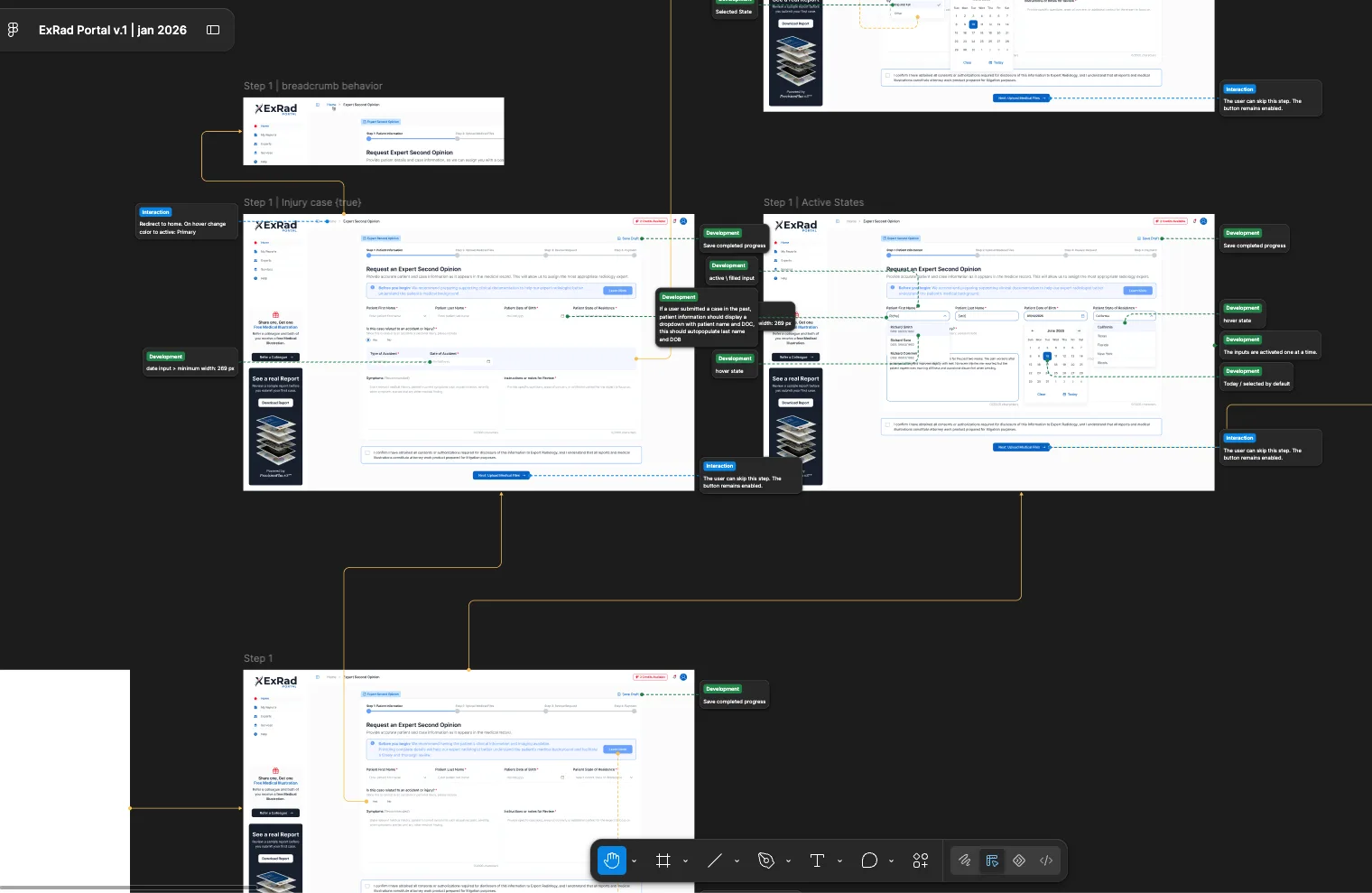
- Patient and Case Information: Here, the patient’s identifying information, the context of the accident, symptoms, relevant medical history, questions for the radiologist, and consent to share protected information are collected. Contextual fields appear only when the case involves an accident or injury, allowing the default form to remain concise while addressing the specific requirements of personal injury cases.
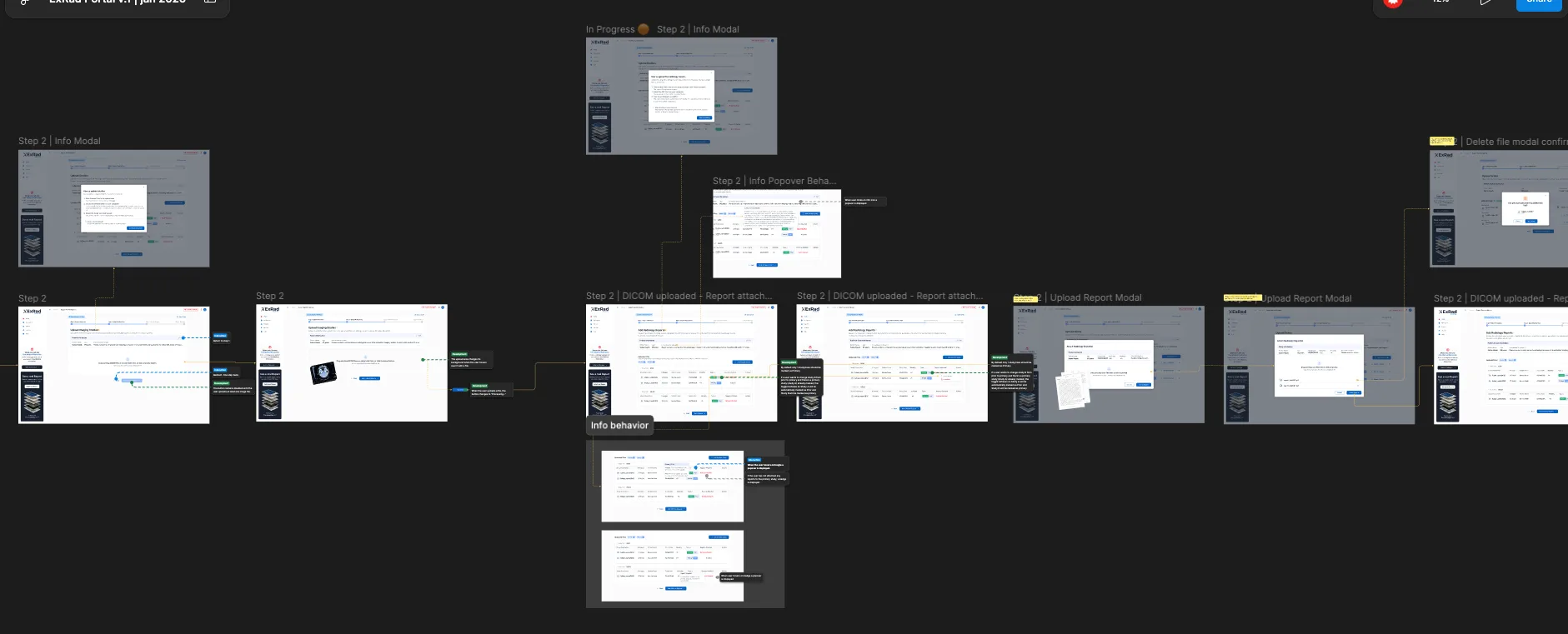
- Uploading medical records: Various options were designed, such as direct upload of DICOM files, study folders, attached reports, multiple studies, links to secure cloud storage, and physical delivery of CDs or DVDs.
- Expert selection: Optional feature. Users can choose a radiologist based on their subspecialty, state license, board certification, postgraduate training, and clinical experience. They can also let ExRad assign the best available specialist based on the case, imaging modality, and patient location.
- Request review: A structured summary of the information is presented. Each section can be edited independently.
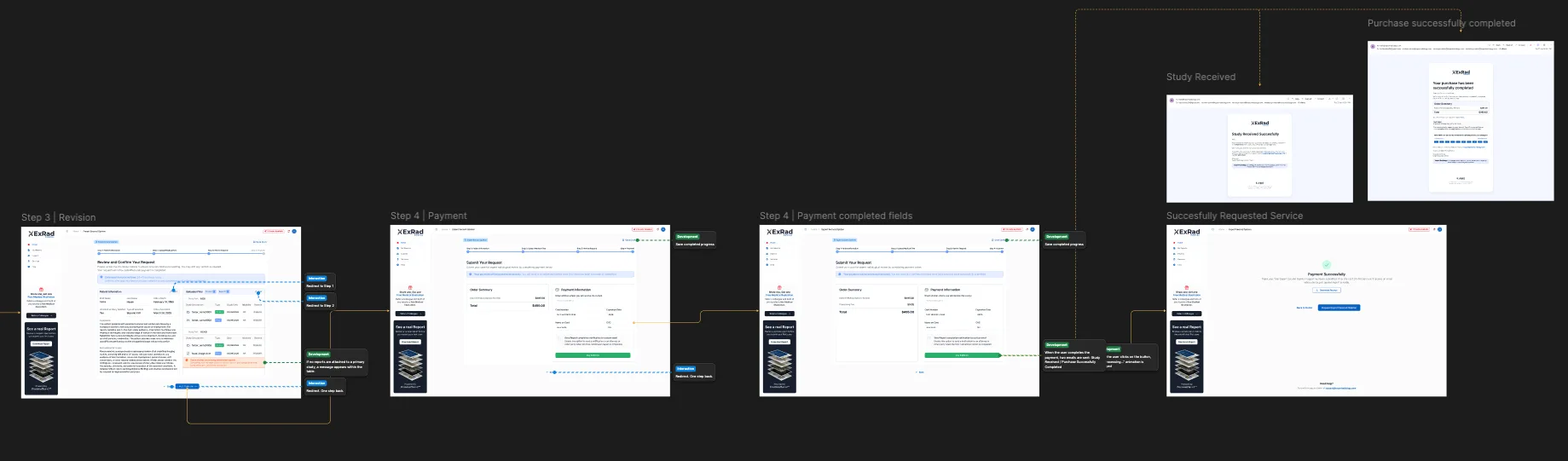
- Payment and Confirmation: A checkout flow designed to encourage retention, offering the option to start a new service.
Breaking the process down into stages reduced the amount of information displayed at once and created clear checkpoints. Users can save a draft, return to previous steps, and review the information before making a payment.
[Report Management]
Report Management
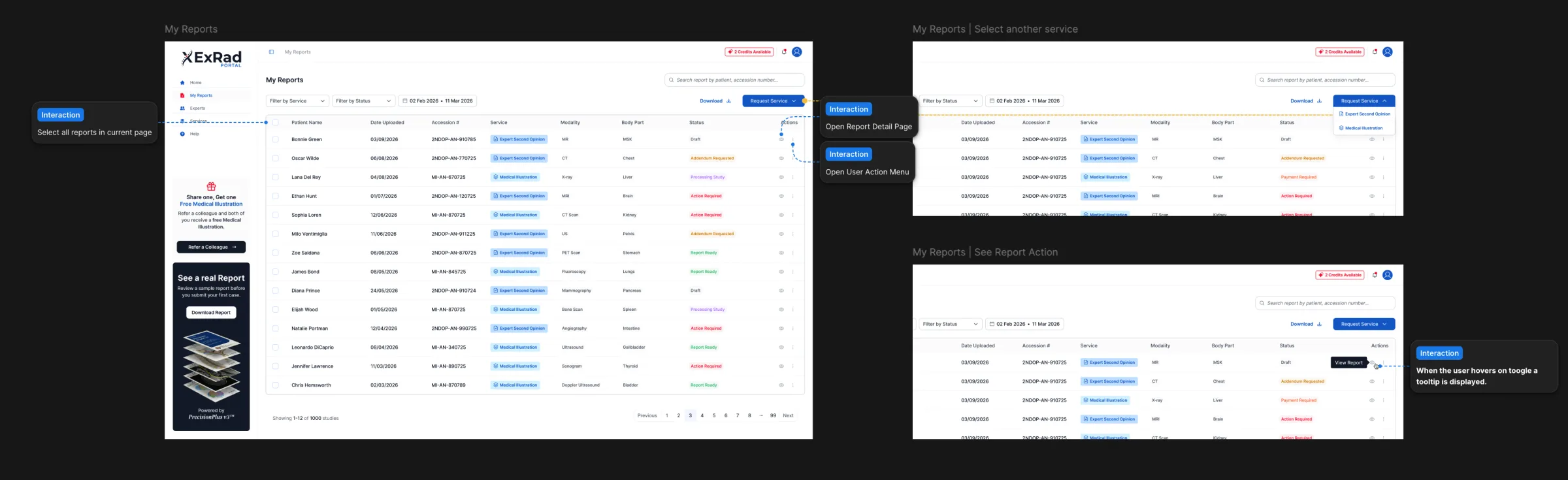
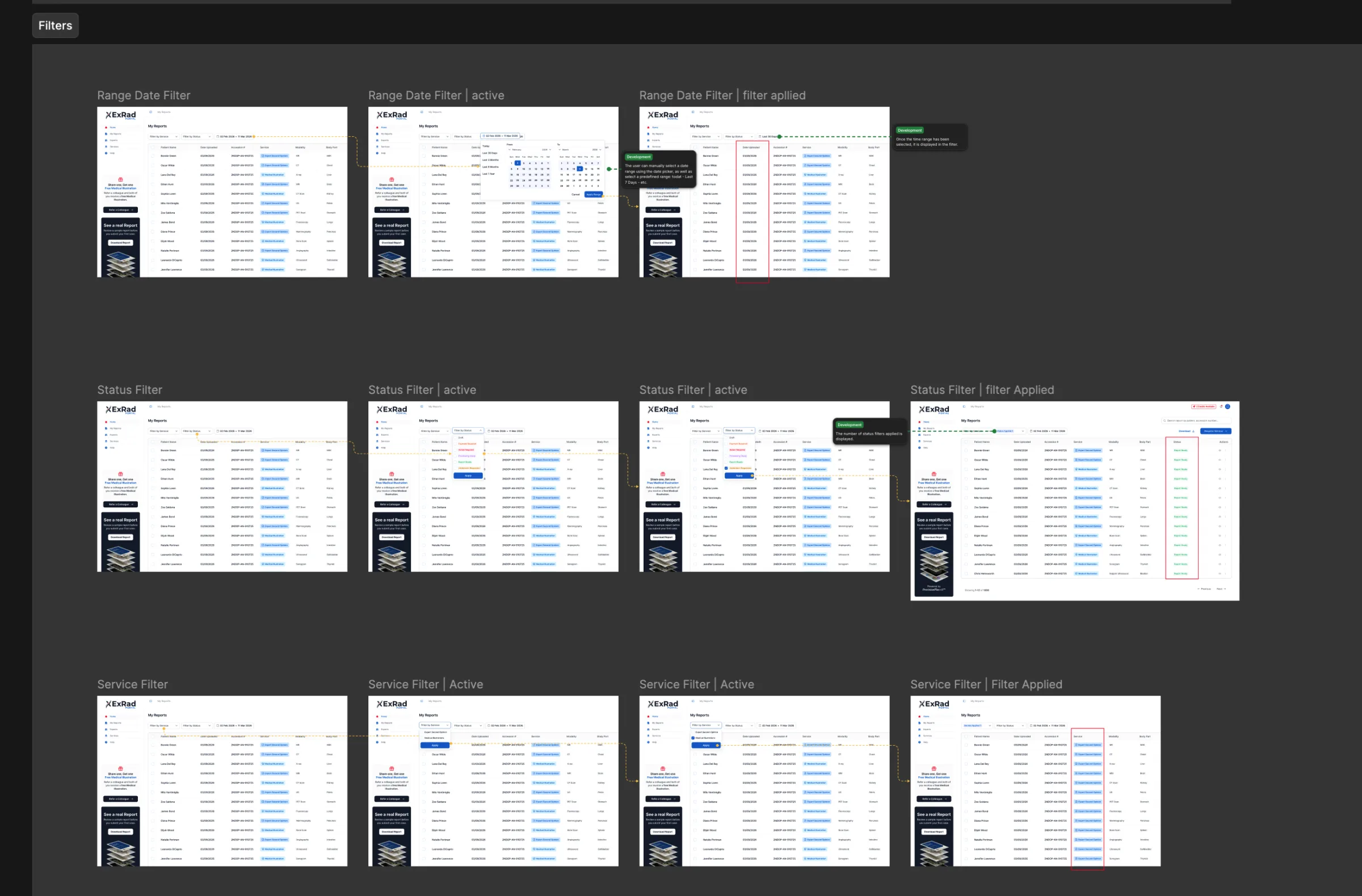
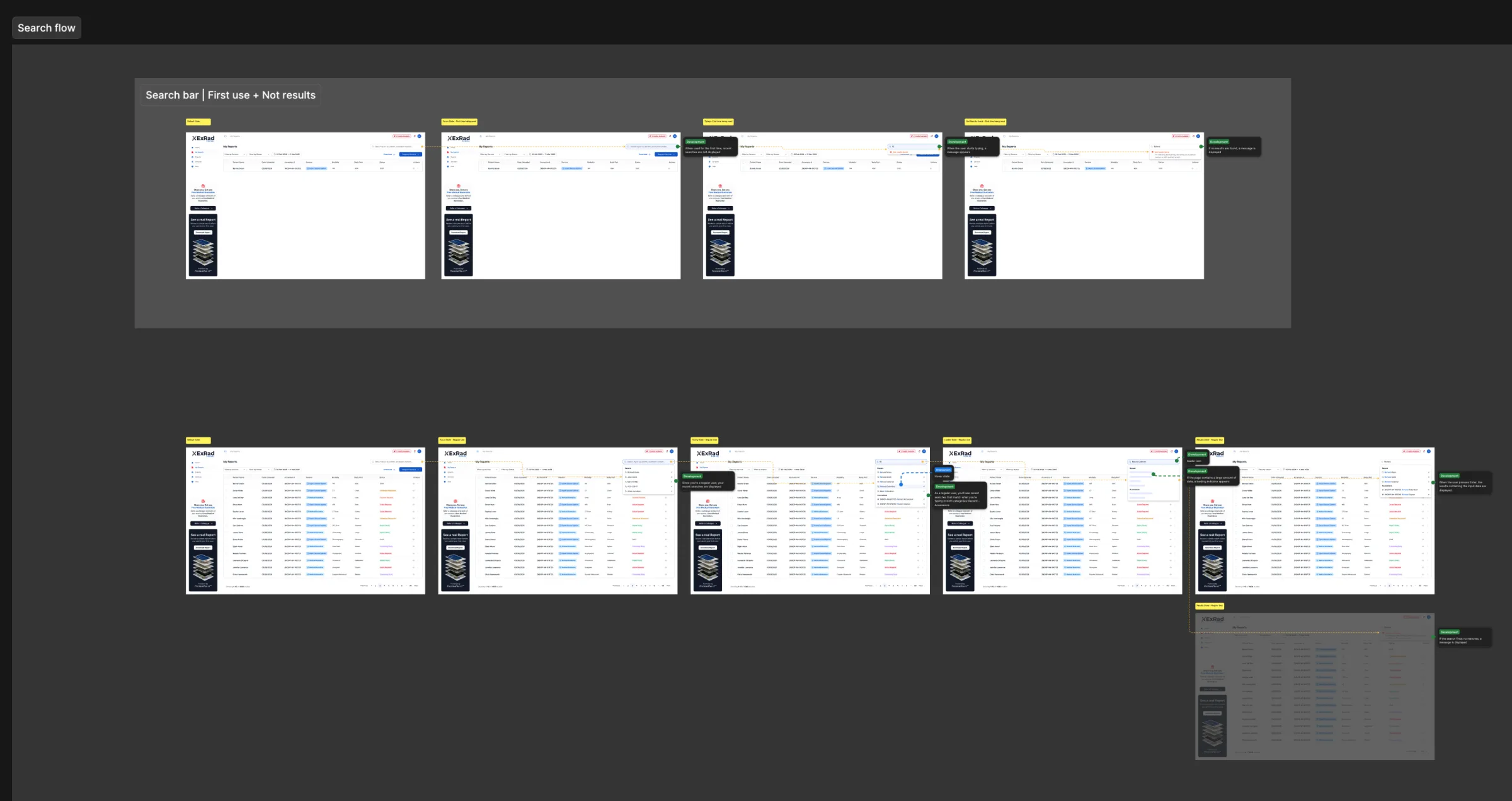
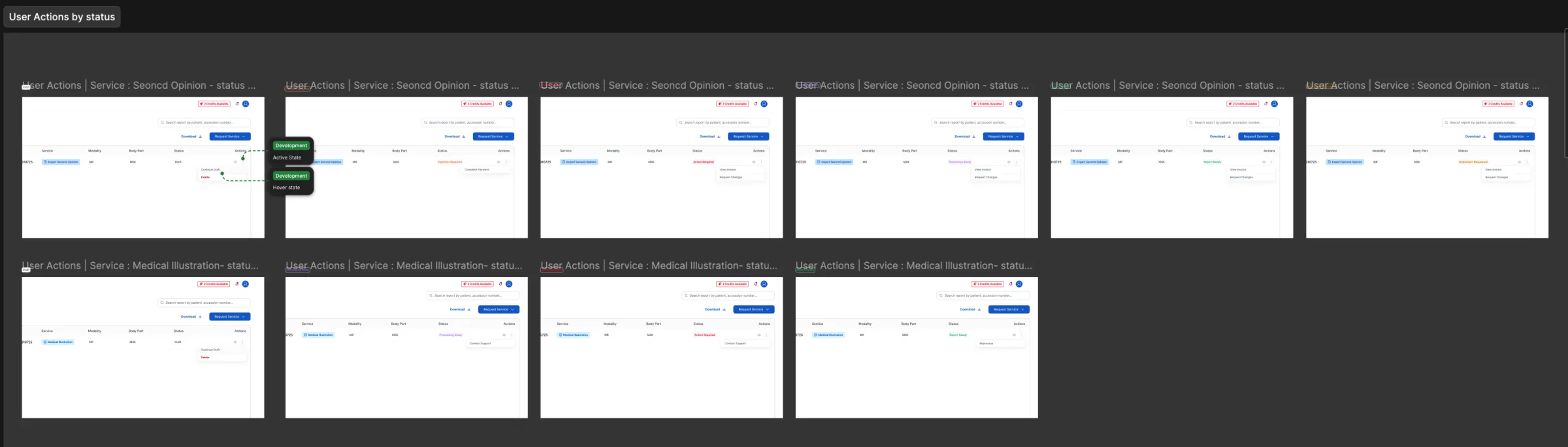
“My Reports” serves as the portal’s operations center. The available actions vary depending on the status of each case: Continue working on a draft or complete payment — Provide any missing information — Contact customer support or send a message to an expert — View an invoice or request changes — Re-process a study — Open, download, or delete a report.
Search functions, service filters, date filters, empty statuses, and recovery messages are supported for both new accounts and users managing a larger history of reports.
[Designing a Reliable Download Experience]
Designing a Reliable Download Experience
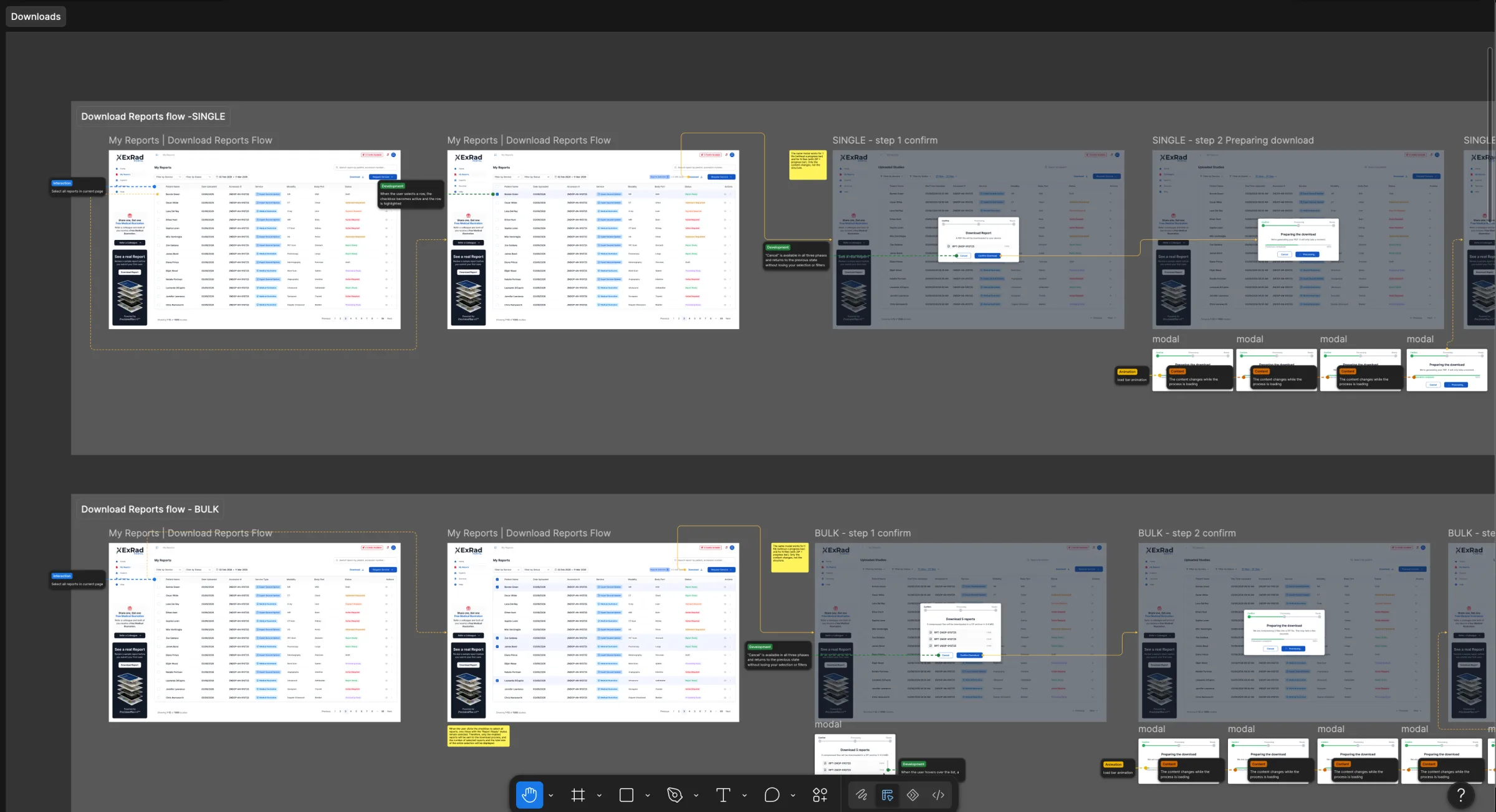
Reports can be large, and users may download multiple files at once. The download experience includes individual PDF file preparation, ZIP file creation, file verification, compression progress, estimated wait time, successful completion of preparation, server errors, and safe retry messages.
These statuses explain what the system is doing and make it clear that a failed download does not delete the original reports.
[Report Viewer]
Report Viewer
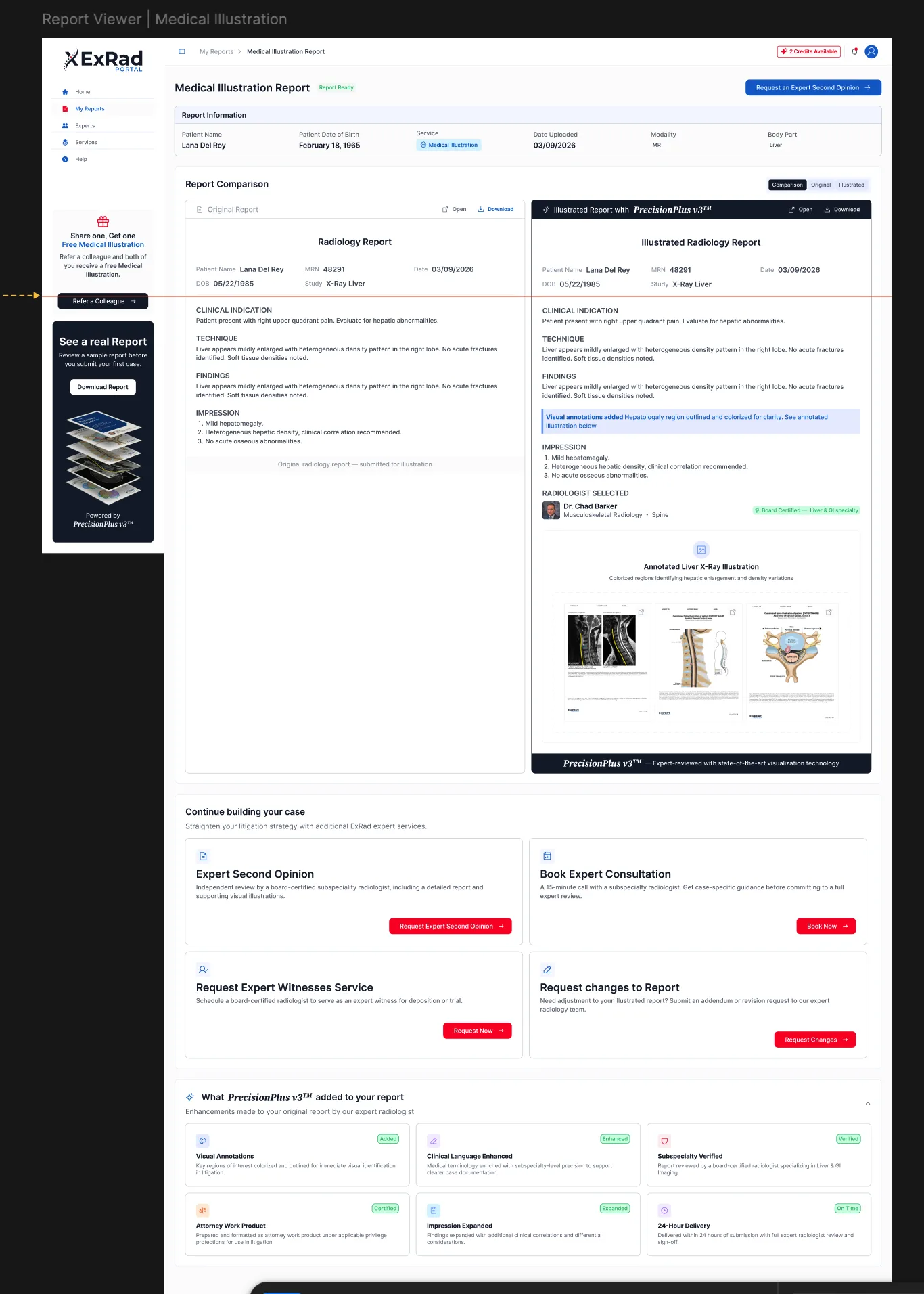
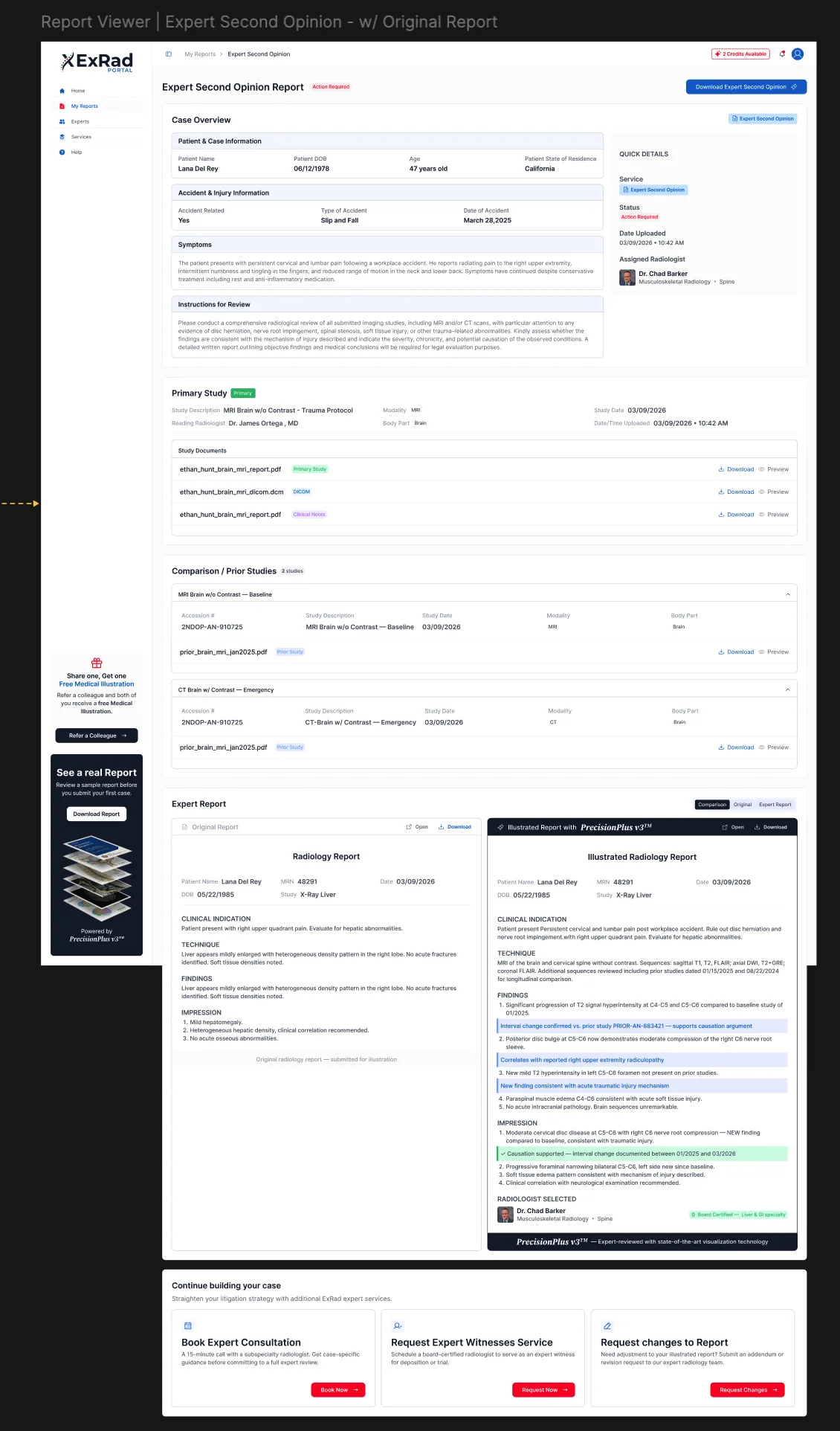
The Report Viewer combines medical results and the original submitted material into a single experience. Depending on the service, users can review patient and case information, the original report, the expert opinion, annotated findings, medical illustrations, radiologist credentials, and downloadable versions.
For medical illustration reports, users can compare the original content with the illustrated version. The viewer also explains what was added, including visual annotations, enhanced clinical language, subspecialty verification, and expanded findings.
[Medical Illustration Service Workflow]
Medical Illustration Service Workflow
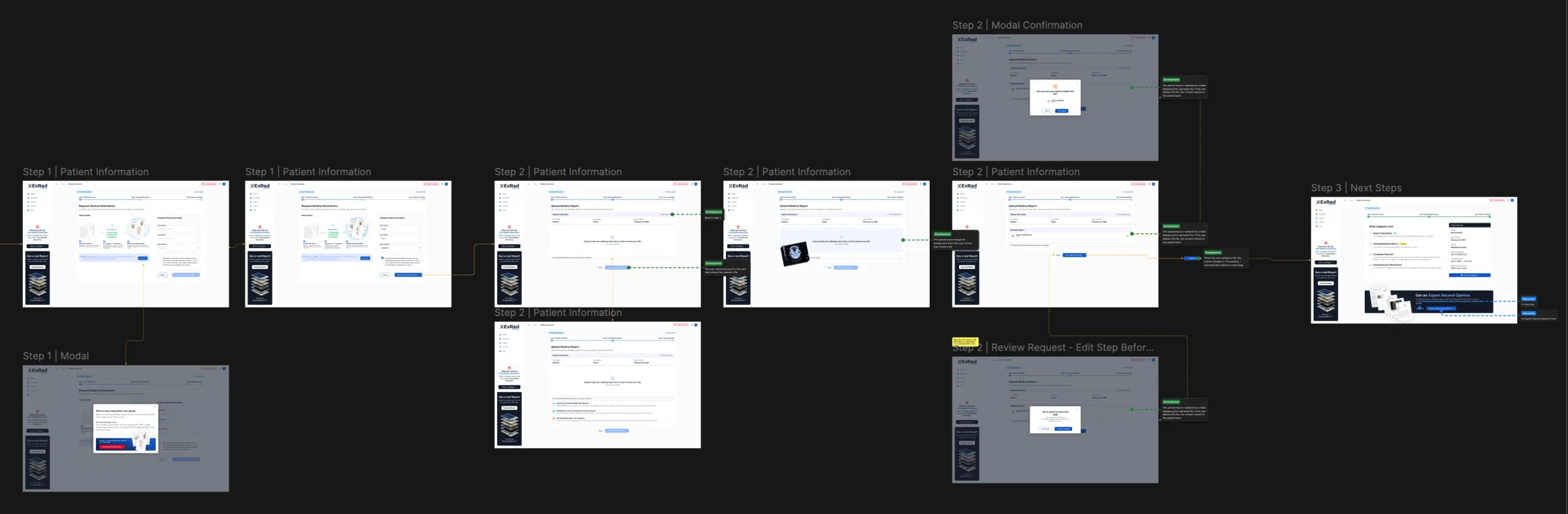
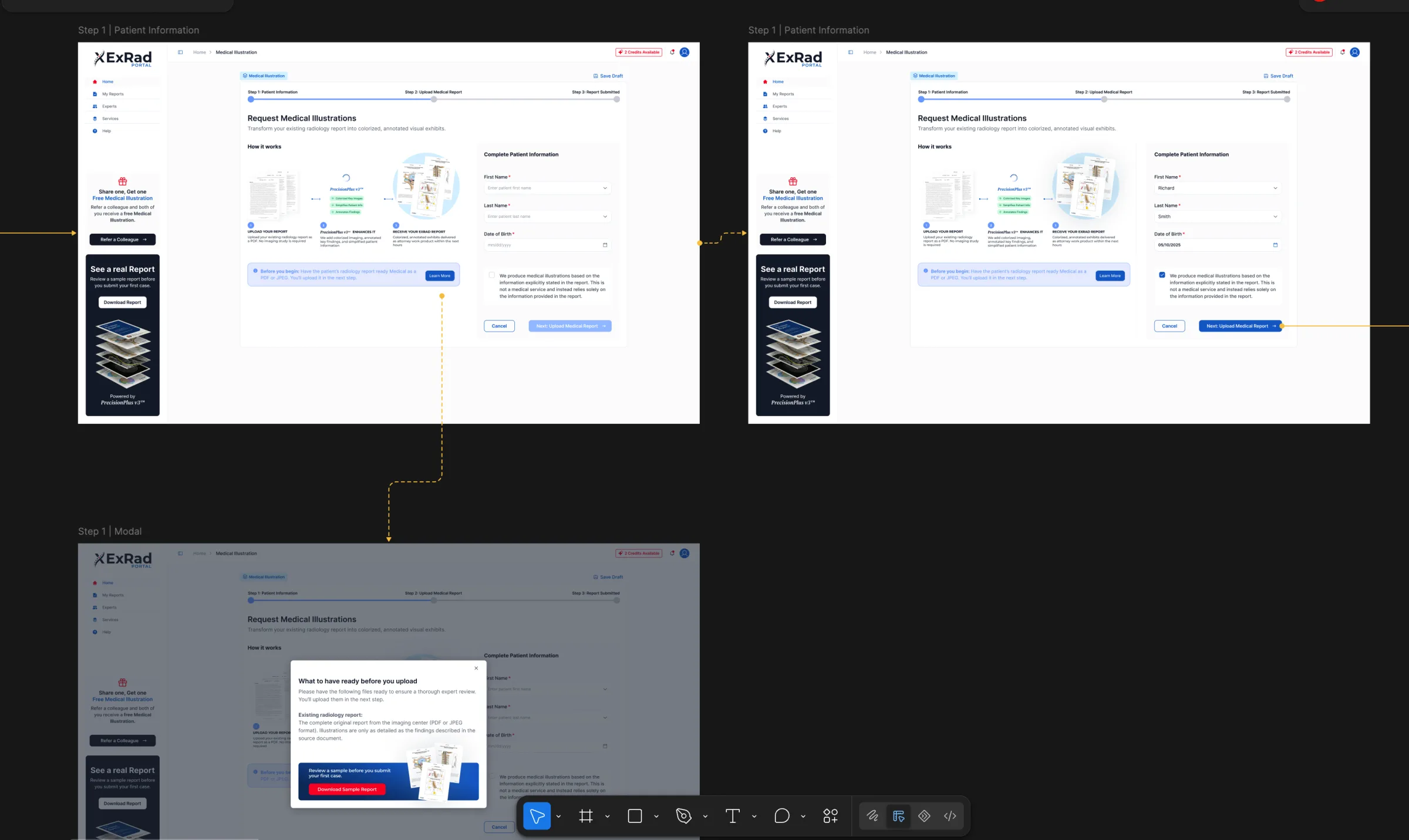
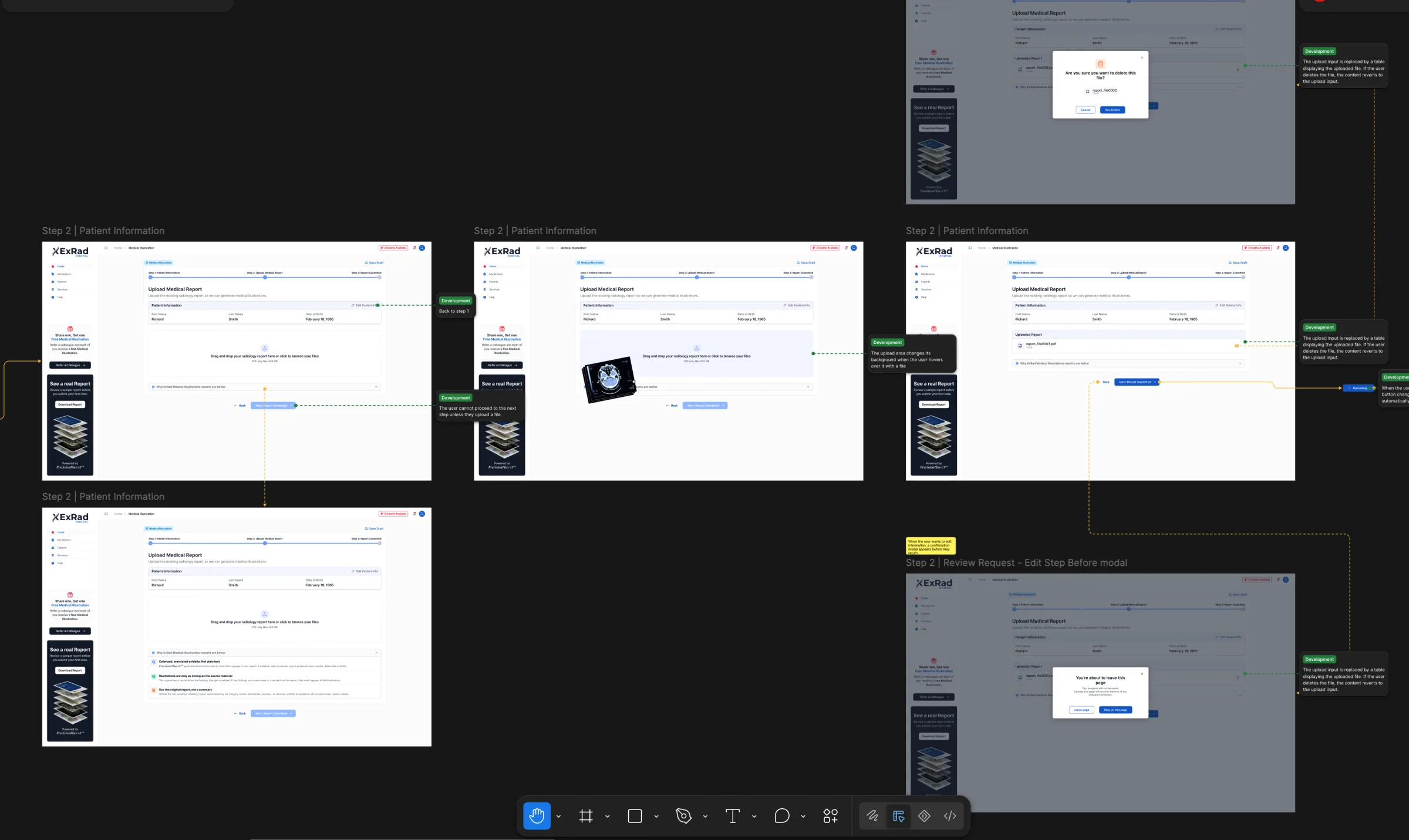
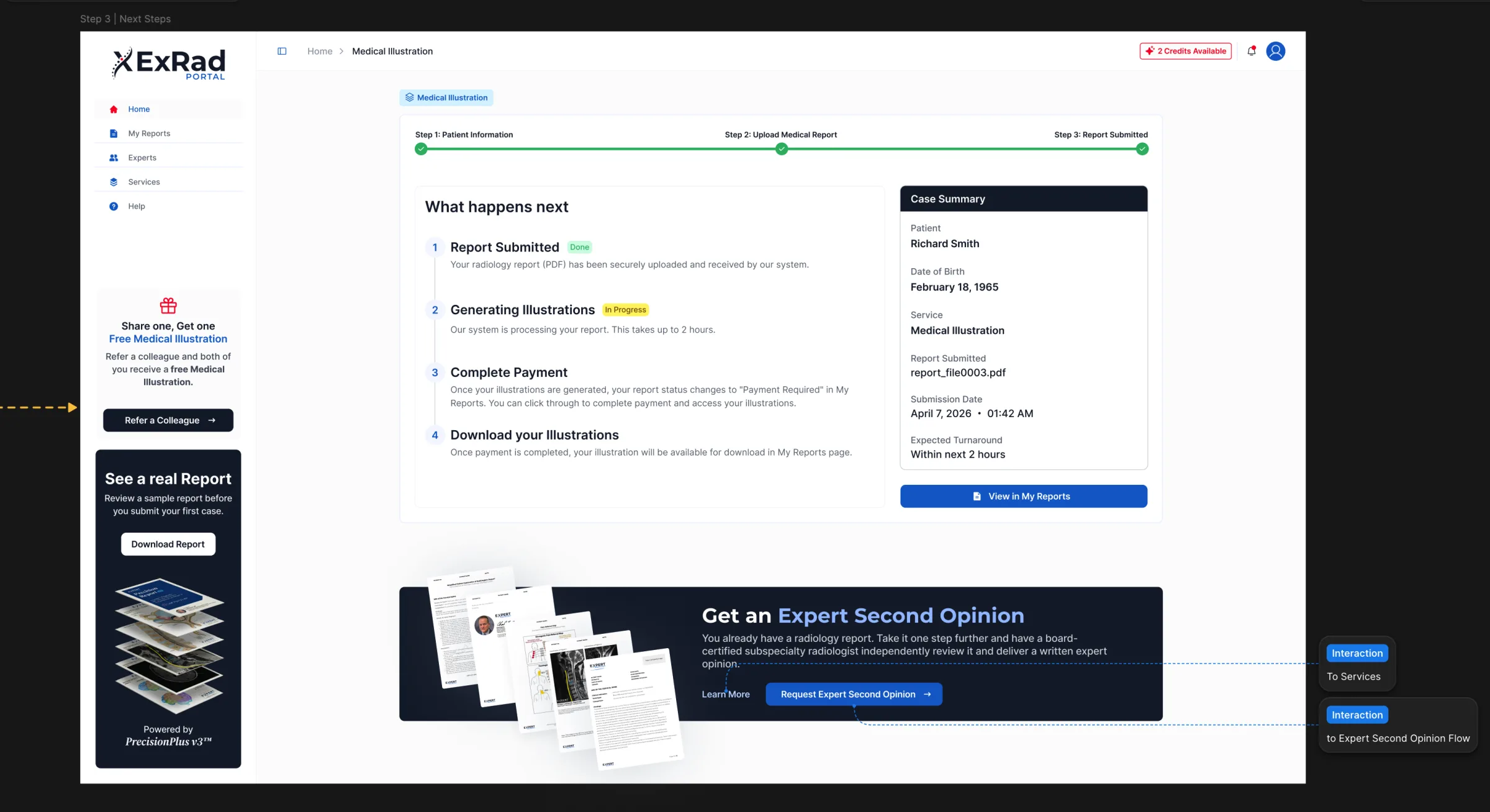
This service follows a shorter process, as it is based on an existing written report: Fill in the patient information - Upload the original radiology report - Review the request, make the payment, and submit the service request.
The interface clarifies that the quality of the illustrations depends on the original report and that the service enhances the existing findings without providing a new medical interpretation.
[Email Design]
Email Design
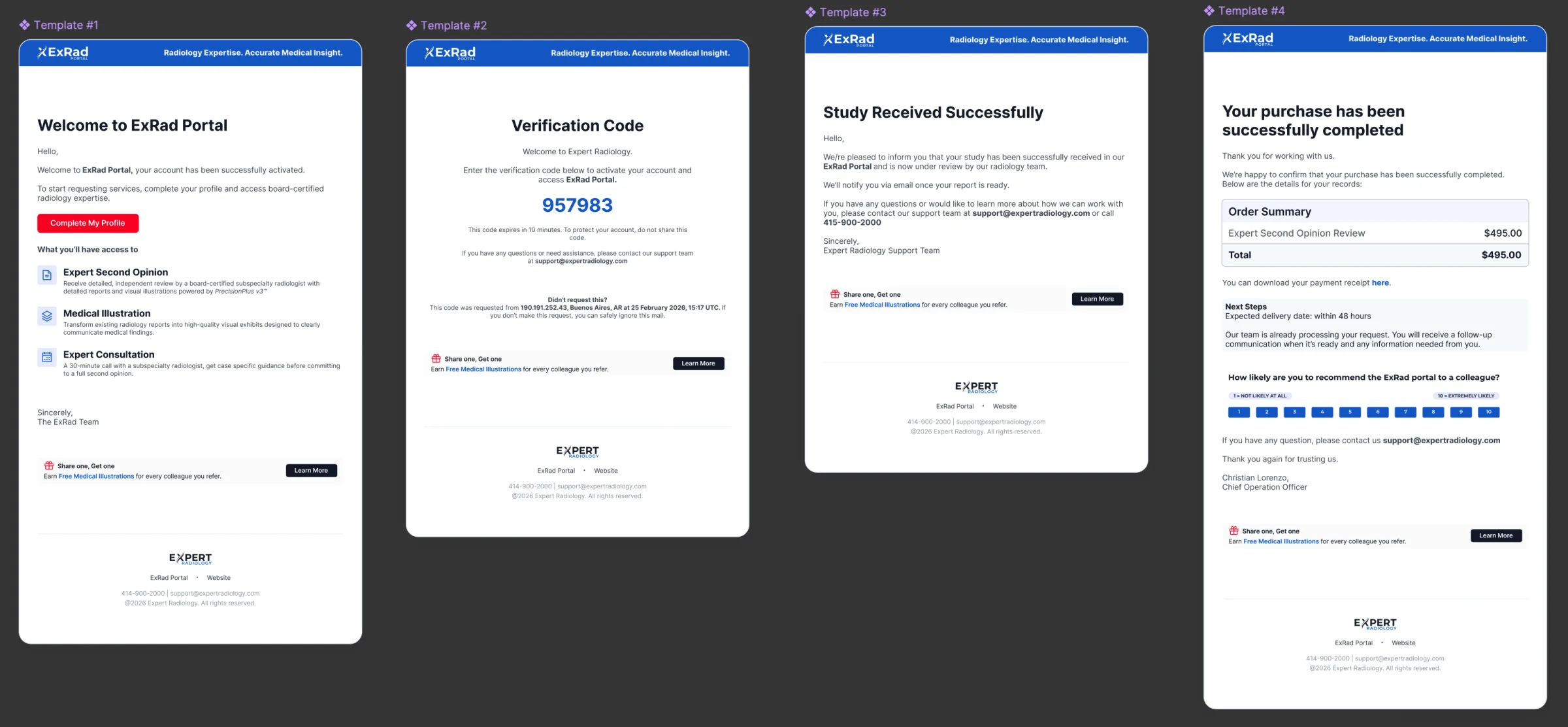
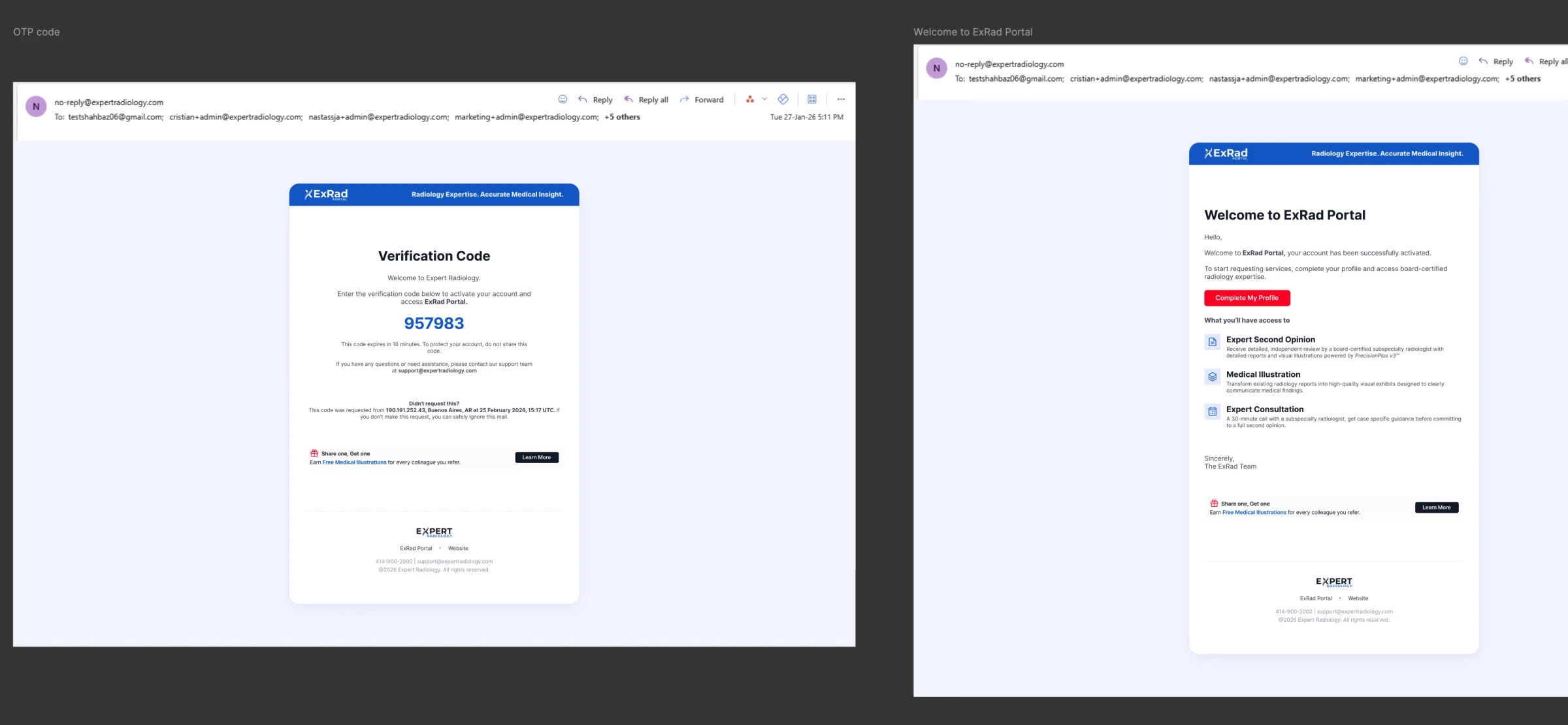
The product experience continues through transactional emails designed with the same hierarchy and visual language as the website: Email verification and account activation—Logging in on a new device and account lockout—Invitations to refer other users—Successful completion of the survey—Purchase confirmation and information about the expected delivery date.
[Prototyping and Collaboration]
Prototyping and Collaboration
In terms of the process, I received a PRD from my manager for each module. Figma was the primary tool used to define workflows, interface states, and final screens. Claude Code and v0 were used to create functional prototypes and explore interactions beyond static designs.
Design decisions were reviewed with the product manager and clients. During development, I collaborated with the developer to answer questions, review the implementation, and identify inconsistencies between the designed experience and the built experience.
[Result]
Result
The project resulted in a comprehensive product experience covering the entire user journey, from account creation to the delivery of specialized radiology reports. It integrated account management, medical and legal case information, DICOM studies, expert selection, payment, report tracking, results visualization, and transactional communication.
The result is a structured foundation for a complex healthcare service that supports different users, submission methods, and case conditions. Since post-launch metrics are not available, the result is reflected in the scope, consistency, and readiness for implementation of the delivered product.